
efaardvark
-
Posts
3,122 -
Joined
-
Last visited
-
Days Won
258
Content Type
Profiles
Forums
Blogs
Everything posted by efaardvark
-
Got cold here as the front moved in! It was 66F this morning before it started to rain. It is now 47F. Weather people say the snow level might get down to 3500' too. I'm a bit lower at 1800' but the tops of the nearby hills less than a mile away are at around 5000'. Might see some snow-capped peaks during tomorrow's commute to work.
-
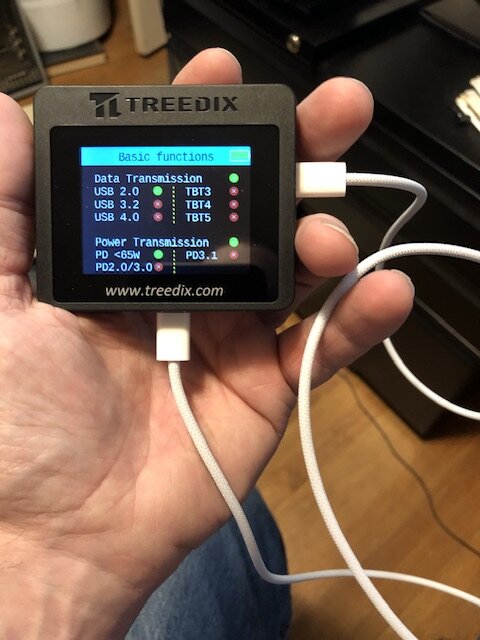
Having been alive and a techie for the past couple decades I of course have a large number of various vintages of USB cables. Some of them are of dubious manufacture, doing data but not power or power but not data. So I finally went and bought a USB cable tester. This one reports the info in the cables’ eMarker chip (if any) but it also claims to actually test the cable. We’ll see. It should at least help me triage the rats nest of cables that I have and tell me which ones to get rid of.

-
I should have done that yesterday. It's raining here today.. not the sort of weather for grocery runs.
-
I do too. Thanks for the concern. I'm not too worried. Around here we have a system of debris basins to catch mudflows and storm channels to direct runoff from rain safely towards the sea. The rain just started last night / early this morning and so far isn't too bad. For now I think we're ok. The channels are flowing but flooding is unlikely to happen from just a day or two of rain. If the rain intensifies however, or lasts for a week or two, then things might get sketchy. Lately the city has been pretty good about keeping the basins and channels clear but flood control work crews can't safely get in to do maintenance and clear debris while it is raining and this storm is supposed to last for a bit. The main concern is that the fire has removed vegetation from the hillsides where the fire burned and the rain will create the conditions for mudslides that can overflow the debris basins and block the channels resulting in flooding. Worth a PSA to keep everyone alert and aware but not much of a cause for concern. Not yet anyway.
-
Welcome! GitS is one of my favorites too.
-
A bit overcast today but not bad. Yet. Got this PSA yesterday. (I’m ~5 miles from the Eaton Canyon burn area.) Sounds like it might rain a bit tonight..
-
I liked the whole Natsume series. That's unusual for me. Usually by the 2nd or 3rd season the deja vu starts to kick in and I lose interest.
-
Same here. Well, "nothing" + laundry.
-
Several people at my work were out sick in the last week too. Seems to be something going around. Everybody get plenty of sleep and eat well. Don't let whatever it is get you! Maybe it's time for another Amibiko drawing contest?
-

Snakeheads: The Movie You’re Thinking Of? No.
efaardvark commented on Sakura's blog entry in Photography & Ramblings
That's the basic problem here, isn't it? -
Do you have an example or two of what you’re looking for? Or not looking for? Some random stuff based on what you’ve said so far: kaguya sama: love is war My Dress-Up Darling Horimiya Skip and Loafer A Condition Called Love for a bit less romance and more slice-of-life while still having a bit of a plot then maybe March Comes in Like a Lion Silver Spoon
-
Made some chicken alfredo for dinner. Had to kind of scrounge because I haven't been to the grocery store in a while.. the noodles are spaghetti instead of fettuccine and everything is from cans but I did find a small jar of basil pesto to make it a little less boring.
-
Making chicken Alfredo tonight. I was too lazy to go to the grocery store on the way home from work so it is all from cans but I’m the guy who failed at canned soup a while back so .. wish me luck. Yolo, right?

-
Wait… That’s Not a Seal? A Guide to Seals vs. Sea Lions
efaardvark commented on Sakura's blog entry in Photography & Ramblings
Here in SoCal we have a LOT of sea lions. They're especially common around the Channel Islands where the rookeries are but I've seen them everywhere from San Diego in the south up to Santa Barbara in the north. We also have some seals, mainly harbor seals. They're not nearly as common and typically in much smaller groups so they're not as noticeable. -

-

My head is so much thinking about bean dip thanks to @Sakura that I thought this was about actual dip for a minute...... before I realized it meant stocks.
-
-

-
-
Idiocracy, Margin Call, I Robot... so many documentaries, so little time.

- Show previous comments 9 more
-
 Yeah that's fair tbh because I would LOVE for something to do my shopping for me so I don't have to fight crowds or lines. Dishes and laundry, that's even better. I just don't wanna wake up to a robot/ai apocalypse because I feel like there's already been enough weird things so far this year and it's only February.
-
At least this year is better than last year. Last year (for me) started with high winds, power outages, a brushfire that took out half the city, and JPL shut down. That was just the first 2 weeks of January! This year it's already February and I still have power and nothing has burned down or blown away. I'll take what I can get.
-
-
Sorry to disappoint. Physically it is about as exciting to look at as a toaster. And yes, I need to dust.
-
Lenny! I don't know. Actually I haven't seen him in a while. Until last week it had been cool and rainy here for a couple months. He's probably been hibernating in a hole somewhere.
-
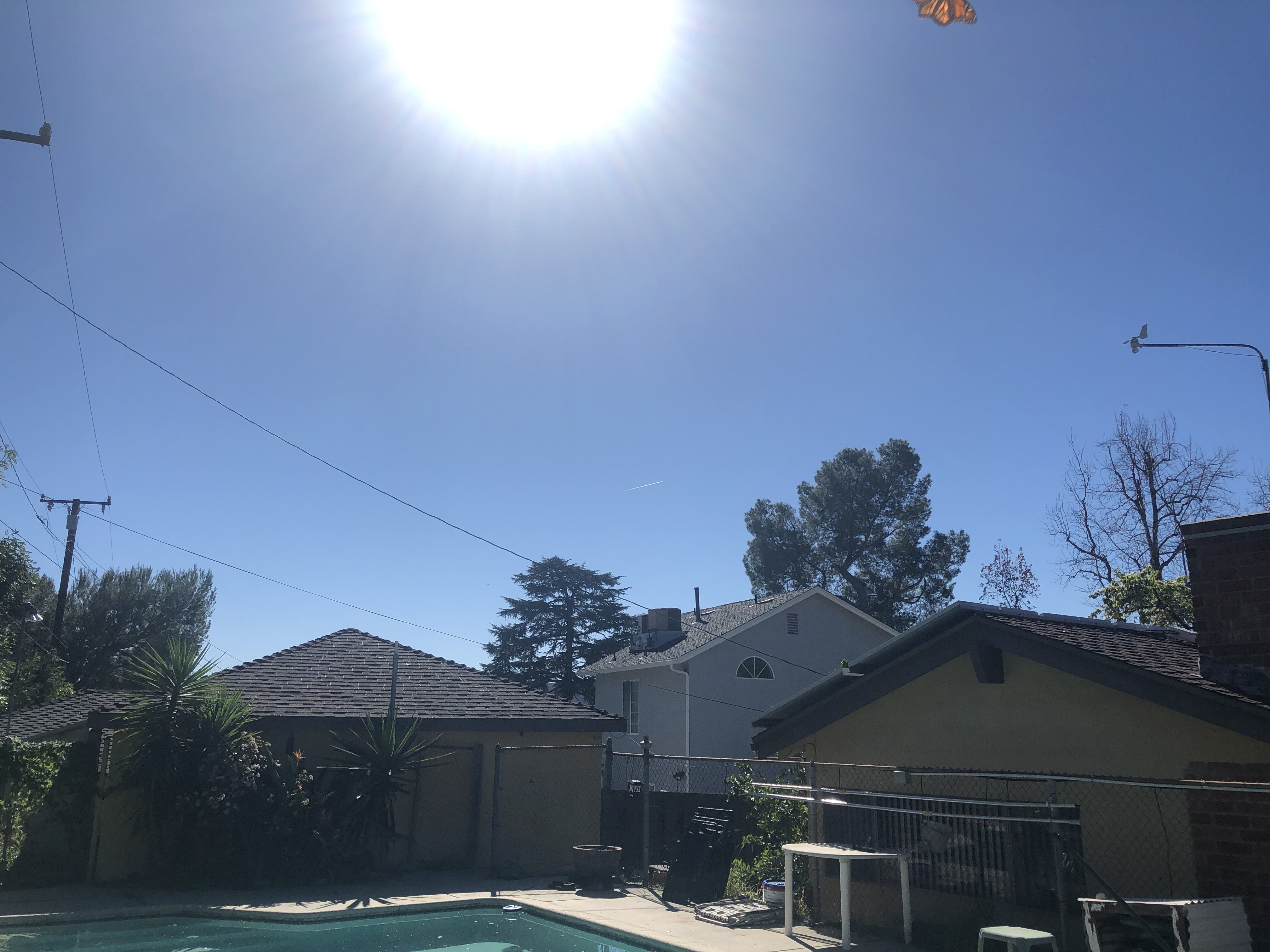
Sunny and warm here. 78F and clear. I sent this pic to my brother in WI and he got mad at me. (edit: I just noticed the butterfly.)
-
The sites that stream anime for free are generally illegal and therefore not discussed here on AF. There are free apps on linux that let you watch content from sites that require a subscription. For example, I typically use the firefox web browser to stream from places like crunchyroll and netflix that I subscribe to. Of course there are free apps on linux for playing video and audio files from your hard drive as well. For things like DVDs I do it a little differently. Not a linux/windows thing but because I have a NAS I typically take the video off the disc and put it into a file, then put the file into my Plex server on a NAS. (A "NAS" is network attached storage. Basically a hard drive attached to the LAN instead of to a particular computer.) This lets me conveniently search the database containing the metadata for my entire DVD library online and queue up whatever I decide to watch from my web browser without ever touching a disc. To pull the content from disc I typically use something like handbrake or a utility called ffmpeg if I'm transcoding. Both have native Linux versions that are free. My NAS is a Synology server, which lets me run the Plex server software on the NAS as well. Plex has several different options, some of which require a subscription and / or registration. For me I only use it for local (LAN) access and for that it is free of charge. I do believe that all unix-like operating systems such as Linux are inherently more secure than Windows. Unix was created for multi-user systems in a highly networked environment. There are a lot of layered mechanisms that were built-in from the beginning to restrict access and compartmentalize resources, hardening the system against remote attacks and mischief from other local users. Unix has also been quite popular at the server level, so a lot of effort is spent by the black-hats to create malware to get access to things like database and web sites running on unix servers. A lot of effort has been spent by the white-hats to counter those efforts, in the process making the system more secure, especially to remote attacks over the network. Linux being a unix-like OS it benefits from this heritage. Linux itself is actually used on most of the world's servers, including AWS, Google Cloud, and all of the world's top 500 supercomputers. It would not be the go-to OS for the world's servers if it was not secure. I think that being open-source also helps make it more secure because it makes it easier for people to find and fix problems. Worldwide there are far more people who have the skills and access to Linux source code to find problems and publish fixes than MSFT employees who can find, fix, and publish the fixes to problems with Windows. Windows was originally designed for stand-alone PCs where anyone with access was assumed to own the system and thus allowed admin-level privileges. Windows was forced to add mechanisms for restricting access when the Internet came along but historically such mechanisms have been implemented poorly and / or created performance issues and as a result been un- or underused. That said, all computer systems have malware that targets them, including Linux. Also, things like phishing attacks that target users' behavior don't really involve the OS. Those are just as likely to affect Linux users as Windows users. Application-level attacks such as trojans and a lot of spyware are also hard for the OS to deal with unless the admin of the system is capable of using the OS's protection features to good effect. This is as true on Windows as it is on linux. Or any other OS for that matter, though again unix's layered defense by default does not allow unrestricted access between different users or access by users to system-level processes so such attacks tend to be less effective on Linux. The Linux kernel is pretty good at keeping the application/user layer from messing with system-level stuff, so in that sense Linux is probably a bit more secure. The question of RDP attacks is kind of a "yes, but" thing. On unix-like operating systems such as Linux the architecture is different in that the desktop is not part of the kernel. RDP is a proprietary protocol built-in to Windows by MSFT specifically to allow remote access. Because of this Linux doesn't have the same vulnerabilities to RDP attacks as Windows. Obviously linux often does have a desktop environment (sometimes servers are run "headless" without one), but any vulnerabilities would be specific to the desktop software being run, not Linux itself. As far as the linux OS is concerned this would be just another application- or user-level question. To gain unwanted remote access to a Linux (unix) desktop would require the malware to use a different, more involved process with a greater likelihood of failure.
-
Cool! Thank you! I'll check it out.
-
Checking in on the last week of stock market activity inspired me to go looking for a movie titled, "Margin Call". Very Lehman-esque and a good movie along the lines of wolf of wall street but I don't have it in my collection and I couldn't find it streaming anywhere I have a subscription.
-
Using Windows apps on linux is possible. Not all, but many. Especially if you are into Steam games then it is pretty seamless. Steam itself runs on Linux, and works just like the Windows version. The Steam Deck handheld actually runs a version of Linux under the hood. The new Steam Machine coming out will as well. Valve has done a lot of work to make as many Windows games as possible run those platforms, and Linux as a whole benefits from that. Some game developers for whatever reason go to extreme lengths to make sure their games only run on Windows. Those cause problems and there's not a lot that can be done to fix that besides convince those developers of the error of their ways. Other than that however the games mostly just work. Valve makes it all work on Steam by using something called "Proton". Proton is Valve's game-optimized version of a sort of launcher called WINE that will run Windows apps. "WINE" is a recursive acronym for "WINE Is Not an Emulator". WINE can be used to make most other Windows apps think they are running on Windows. Again, some developers of specific programs cause problems but in general it works pretty well. There is also quite a lot of good software that runs natively on Linux of course. Web browsers like Chrome or Firefox for instance. There's an Office-like suite of software called LibreOffice to do spreadsheets, word processing, presentations, etc. There's programs like Kdenlive for video editing. There's GIMP for "photoshopping" and Blender for 3d modeling. I play the Java version of Minecraft with my brother in Wisconsin most weekends, and we'll usually run a Discord voice chat while doing so. Mods for Minecraft also work in Linux. I use the Linux version of the Minecraft launcher called Prism to help me manage my Minecraft mods. There's Linux versions of Teams, Slack, and Spotify. Chances are very good that anything you run on Windows either has a version for Linux from the same developer(s) or you can find a different program on Linux to do the same thing. A lot of software is "free" on Linux. Not all of it. There are 2 meanings to "free". One meaning is "free of charge". Yes, there is a lot of software that you don't have to pay for. The Linux operating system itself is in this category. If you go to a site like distrowatch you can find lots and lots of different versions of Linux to download and install on your computer. The different versions are all using the same core Linux operating system but are organized around and optimized for different communities of users. Some are for particular types of hardware such as laptops or routers. Some are for different types of users, such as media producers, scientists, business users, or programmers, etc., etc. The most popular ones like Mint or MX are aimed at the typical home PC user. All these "distributions" (distros) are all free of charge to download, install, and use. Many do charge for support however, especially those distros that are directed at business or professional users. Some software available for Linux is not free of charge. It is up to the developers of a particular bit of software as to whether and how much they charge. (It is their software after all.) Some software developers charge for their software just like most do on Windows. Some request donations, either to themselves or to their favorite charities. Some do not require payment at all. Most are covered by some sort of license for use. The GNU "copyleft" license is popular. The BSD license is another one. There are others. You will have to check into and comply with whatever charges and licensing restrictions - if any - apply to whatever software you use on Linux, just like on Windows. The other meaning of "free" in Linux is allowing the user to do what they want. Again, the GNU license is often used to enforce free software rights. Most Linux software is also "open source". Because people are free to use the software as they wish, a small but significant number of users want to modify the software. To enable this the source code to the programs is often made available. This includes the Linux OS itself of course. The source code for both the kernel and all the libraries and utilities included with most distros is available if you want to modify the OS for your own use. If there's a feature that you want that isn't in the software then you can add it. If there's a feature that you don't like then you can modify or remove it. You do have to know how to program of course, but you are free to do what you want with the software.
-
I died. Froze to death while collecting snowballs. How embarrassing. Shoulda worn my wool clothing. Well, that's it for my 1.21.11 hardcore game.
-
I got one of those wireless oven thermometers. Seems to work pretty well when it comes to things like chicken or fish that can easily get dry or chewy if overcooked. I haven’t tried it with fish yet but the chicken I tried was juicy and didn’t give me salmonella. It has a decent range too. It is Bluetooth but I was able to take the hand unit from the kitchen to the computer a couple rooms away and it still let me know when the temperature limit was met.